Question Plan
What kinds of questions will users see—and when? Are questions even active right now? The Question Plan page is where you’ll find those answers.
Questions Plan
The base Questions Plan shows how sayhii’s core questions are scheduled. These questions are grouped into phases and spread across days. Once the final phase is completed, the plan loops back to Phase 1 and starts again.
Each phase is designed with a specific focus. For example, Personality questions are emphasized early in the program (especially in the first 90 days) because they help shape the overall experience. Later phases introduce a broader mix of themes based on ongoing engagement.
At the top of this page, you’ll see either a green START button or a red STOP button, depending on whether questions are currently being delivered.
Frequently, sayhii will activate the plan for you—but you have control.
Caution before stopping questions:
If you click the STOP button, sayhii will immediately stop sending questions to all users.
If you later click START, the plan resets. Users begin again at the start of Phase 1. Previous answers are preserved, but users may see some repeat questions sooner than expected.
Scheduled Modules
If your organization has additional modules available—either Custom Modules you've created or modules provided by sayhii—you’ll see a Scheduled Modules section appear below the base Questions Plan.
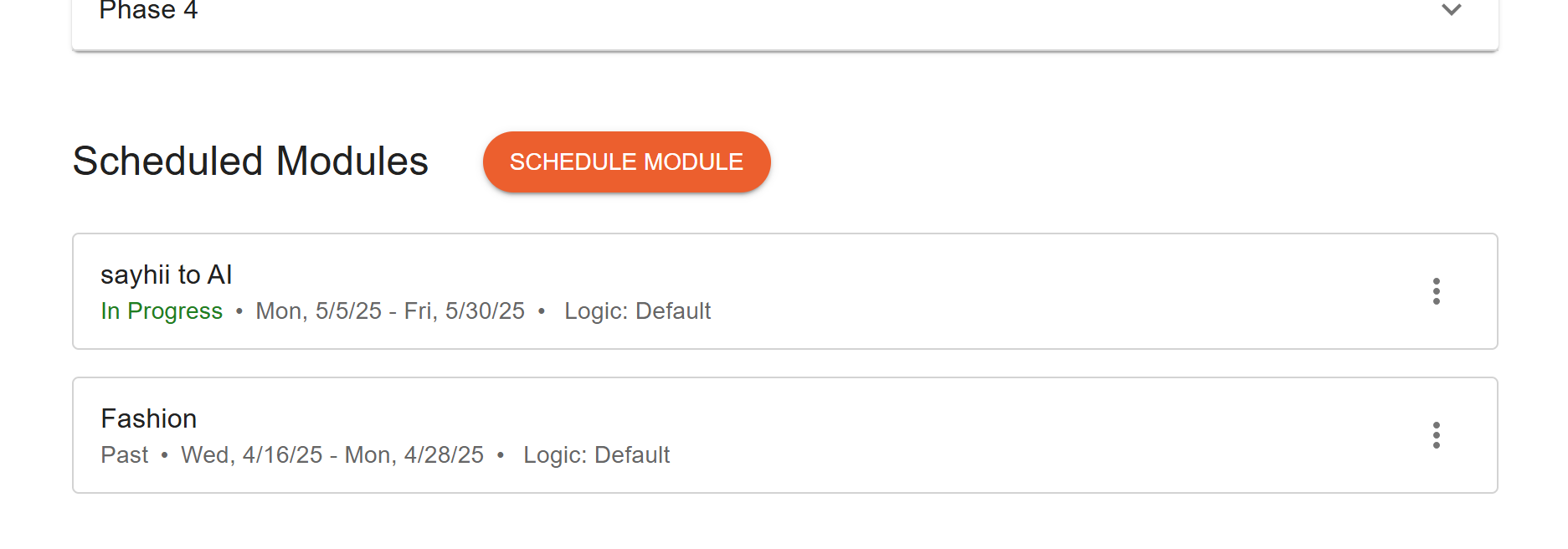
Click the SCHEDULE MODULE button to see the list of available modules. Once you select one, you’ll be asked to choose:
- The start and end dates for the module
- The Question Delivery Method
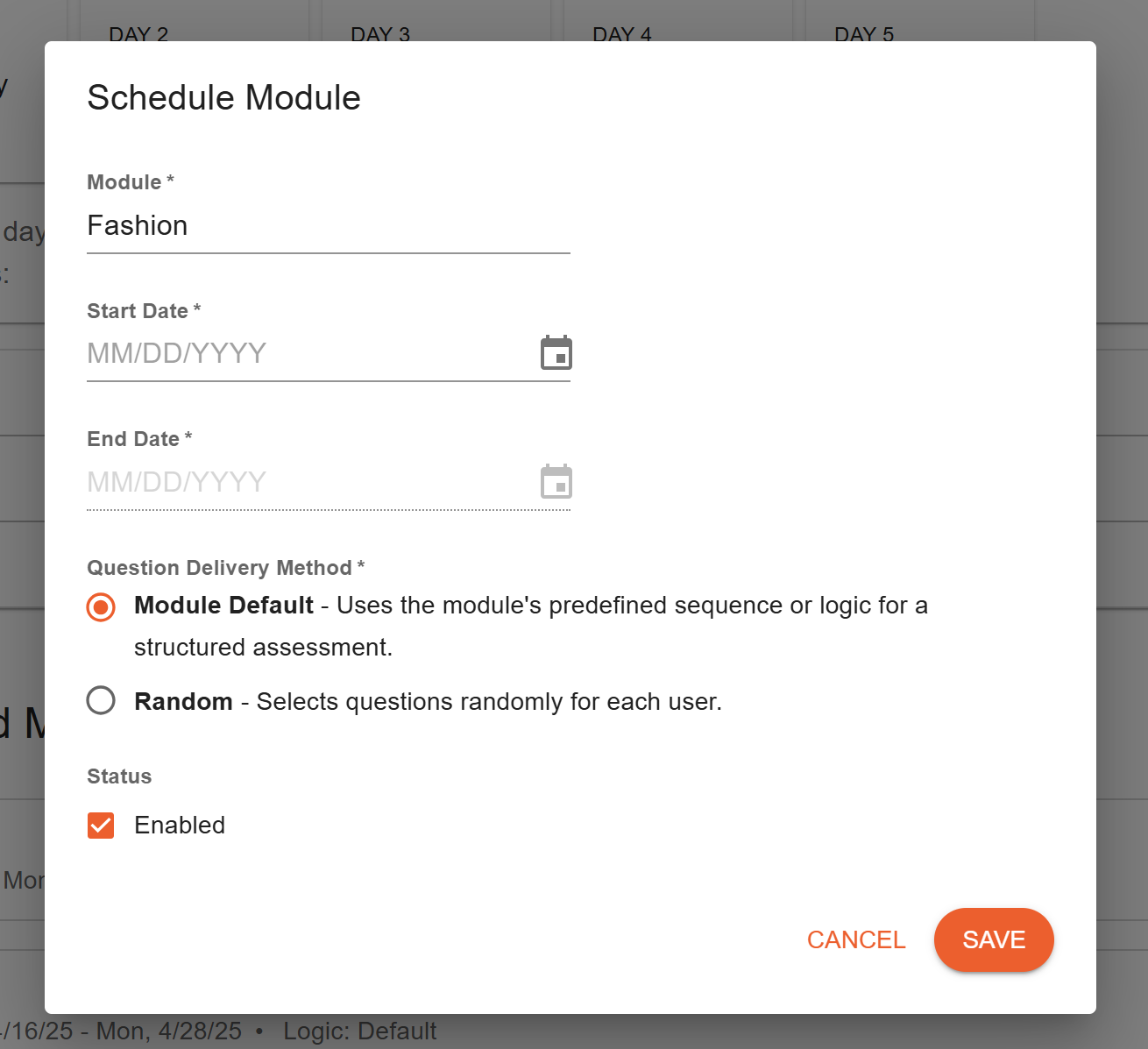
You can typically choose from two delivery options:
- Module Default – This uses built-in logic to pick the best next question for each user. This is almost always the right choice.
- Random – This randomly selects questions from the module. It can be useful if you're working with a large module but only have a short time to run it.
If a schedule is disabled, it won’t send questions—even during its active date range.
Once scheduled, modules will appear in a list showing their active date ranges—even if that time period has already passed.
You can Edit or Delete any schedule. Editing allows you to adjust the date range, disable the module, or change the Question Delivery Method.
You can schedule the same module more than once. For example, if you want to repeat a short set of questions each quarter, you could create a Custom Module and schedule it to run during the first week of each new quarter.